A UPI QR code on every invoice, for the exact amount due
Customers scan the QR with any UPI app and the amount is already filled in. No typing account numbers, no wrong amounts, and fewer "please send the details" messages.
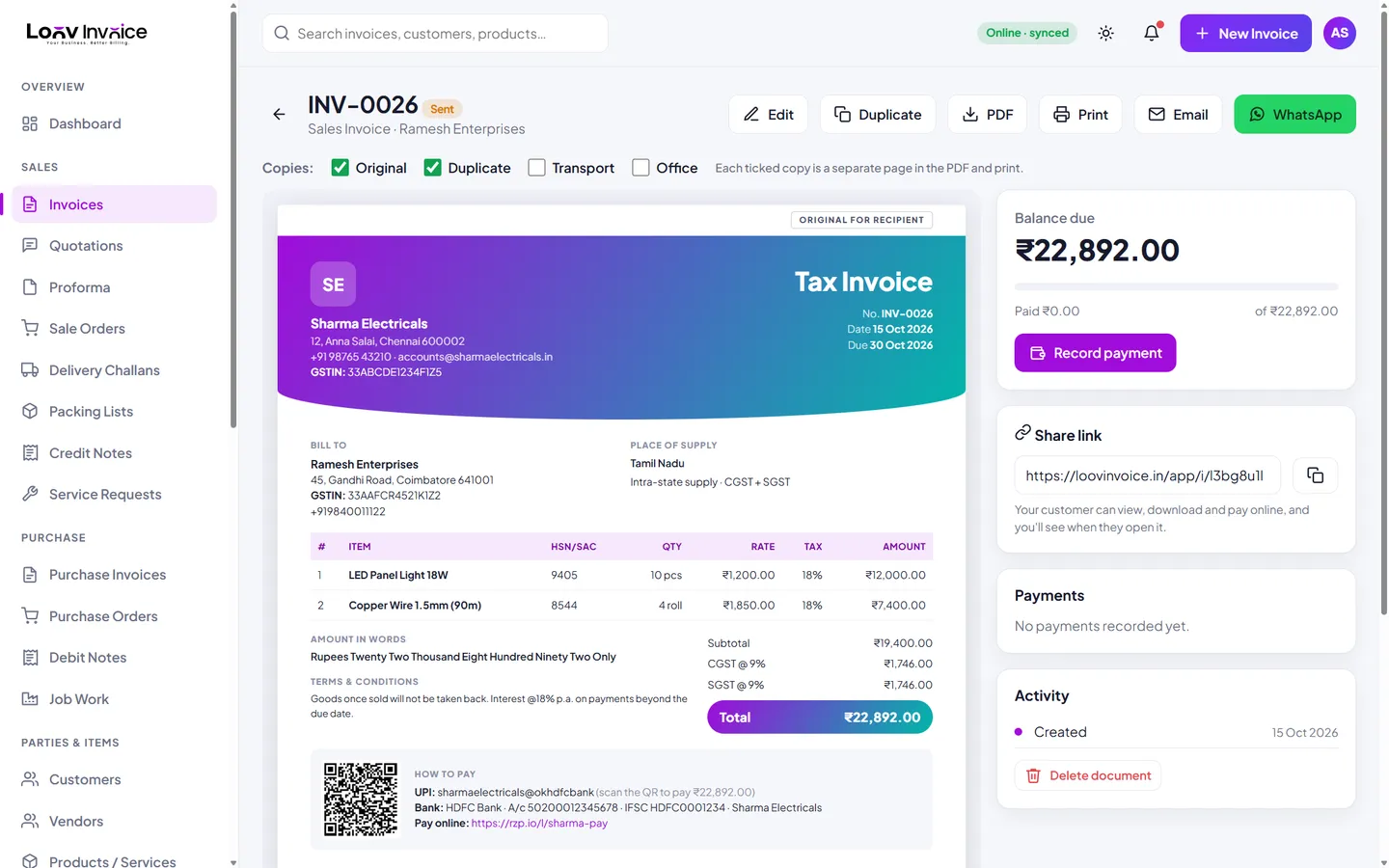
How the UPI QR works
Add your UPI ID once in Settings. Every invoice then gets its own QR code that carries your UPI ID, your business name, the balance due and the invoice number as the payment note. When you record a part payment, the QR on the shared invoice updates to the new balance.
More ways to pay
Alongside the QR, invoices can show your bank account and IFSC, and a payment link from Razorpay, PayPal or Stripe for card payments and international customers.
Everything included
Exact amount
The QR always carries the balance due.
Works with every UPI app
GPay, PhonePe, Paytm, BHIM and bank apps.
Payment links
Add a card or international payment link.
Track payments
Record payments and send receipts.
How to do it in Loov Invoice
- Add your UPI ID in Settings → Payment details.
- Create an invoice as usual.
- Share it: the QR is printed on the invoice and the link.
- Record the payment when it arrives.
Frequently asked questions
Is there a fee for UPI payments?
Loov Invoice does not charge any fee. Money goes straight from your customer to your UPI account.
Can I hide the QR?
Leave the UPI ID empty and invoices show only your bank details and payment link.
Start free. Your first invoice takes about a minute.
Free plan with 10 invoices every month. Pro is free for 15 days in India, with no card needed.