A professional payment receipt for every payment
When a customer pays, record it against the invoice and send a numbered receipt on WhatsApp or email straight away. It shows exactly what was paid and what is still due.
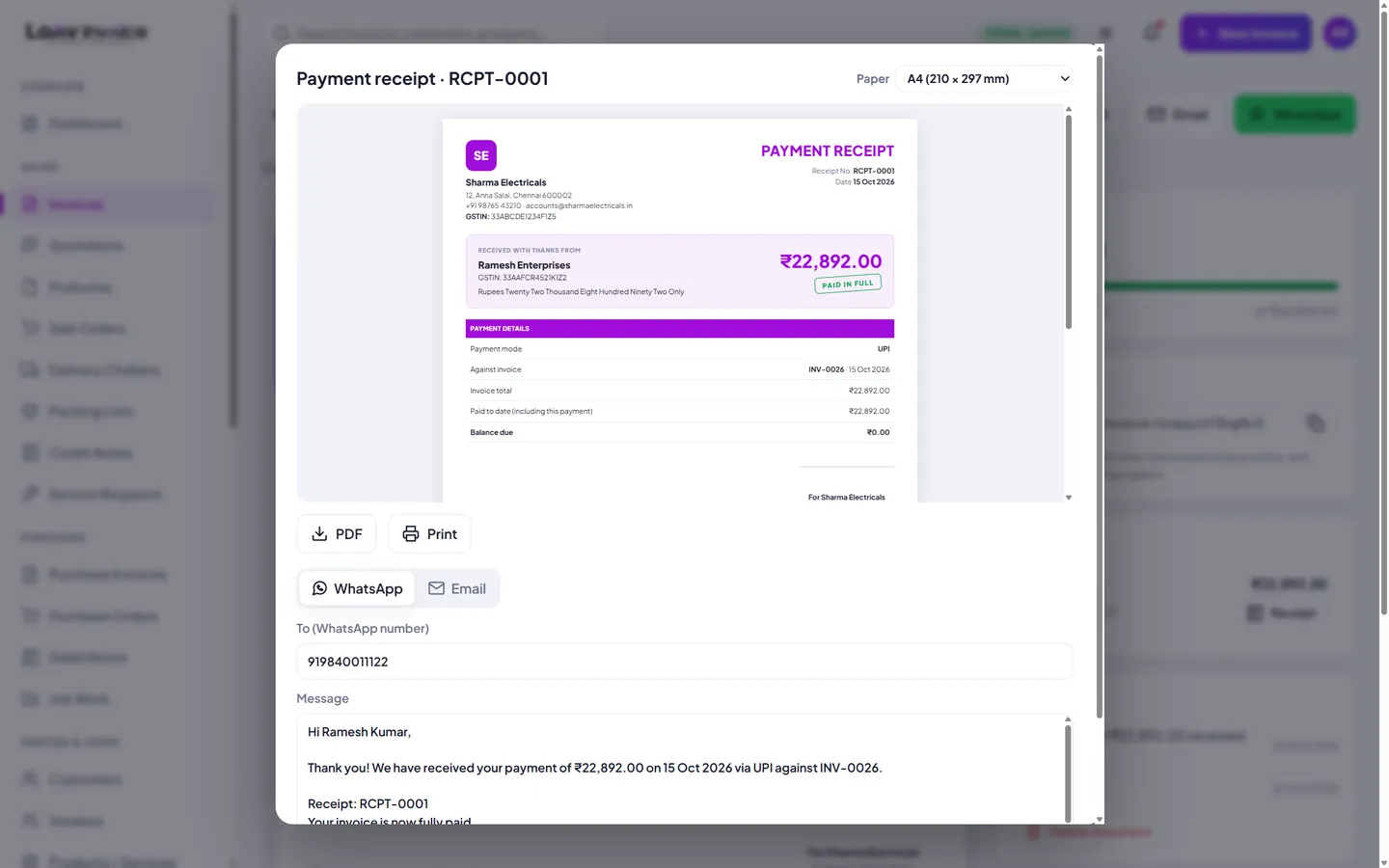
What a payment receipt shows
- A unique receipt number (RCPT-0001, RCPT-0002…) and the date
- Who paid, the amount in figures and in words
- Payment mode (UPI, bank transfer, cash, card or cheque) and the reference or UTR
- The invoice it was paid against, the invoice total and the balance still due
- A clear "Paid in full" or "Part payment" stamp and your signature
Receipt or receipt voucher?
A payment receipt acknowledges money received against an invoice. If you take an advance before supplying goods or services, GST rules ask for a receipt voucher for that advance. Speak to your accountant if you regularly take advances.
Everything included
Automatic numbering
Receipt numbers run in order across your business.
Part payments
Each payment gets its own receipt and running balance.
Any paper size
A4, A5, Letter or a thermal POS roll.
Share instantly
WhatsApp, email, PDF or print.
How to do it in Loov Invoice
- Open the invoice and click Record payment.
- Enter the amount, mode and reference.
- Leave "Send a payment receipt" ticked.
- Send it on WhatsApp or email, or download the PDF.
Frequently asked questions
Can I send a receipt for an older payment?
Yes. Every payment on an invoice has a Receipt button, and the Payments page lists receipts for all customers.
Can I print receipts on a thermal printer?
Yes. Choose the 80 mm or 58 mm roll size and print.
Start free. Your first invoice takes about a minute.
Free plan with 10 invoices every month. Pro is free for 15 days in India, with no card needed.