Send quotations that turn into invoices in one click
Prepare a clear quotation with your logo, terms and validity, share it on WhatsApp, and when the customer says yes, convert it into an invoice without typing anything again.
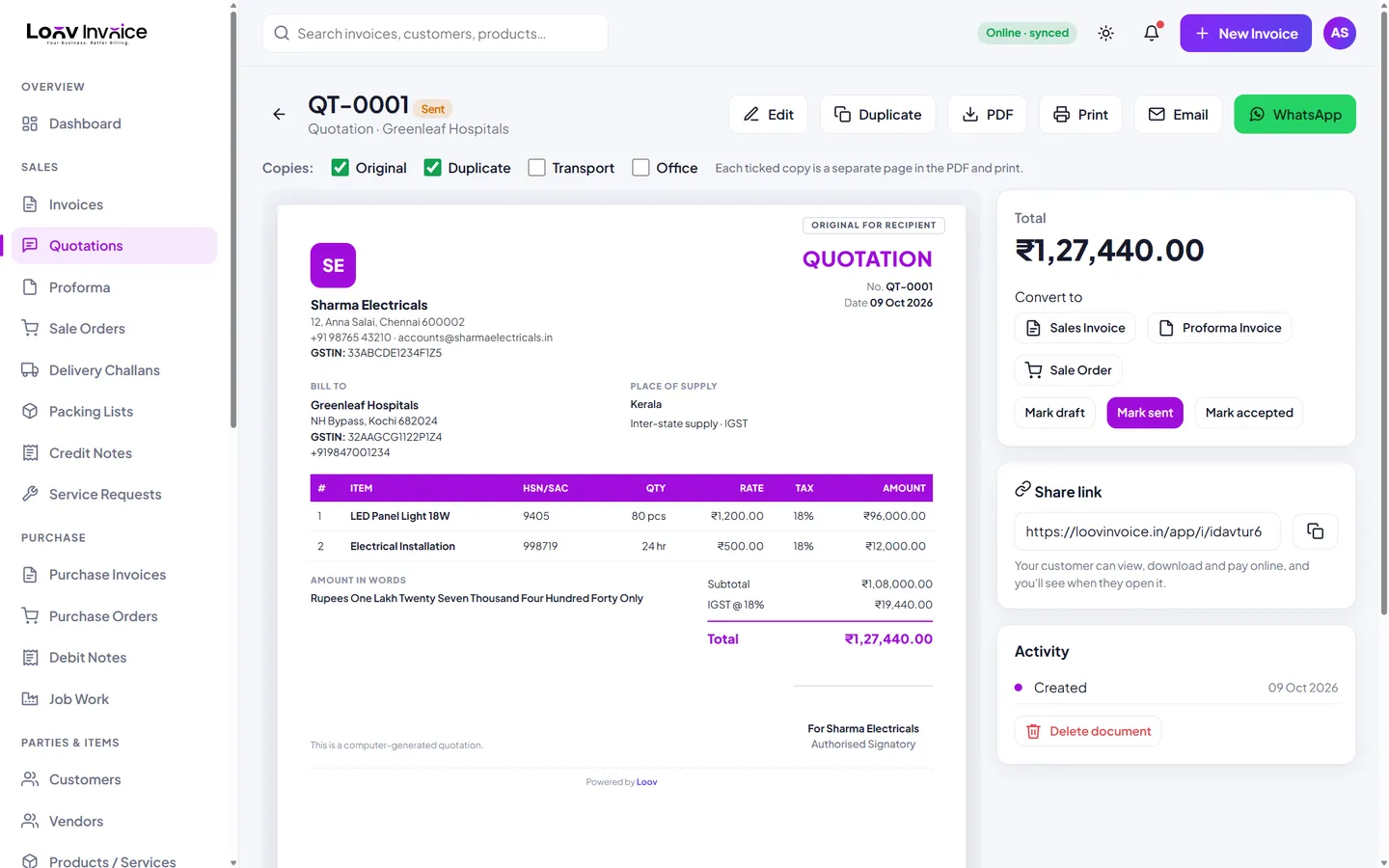
What a good quotation includes
- Your business details and logo
- A quotation number and date, and how long the prices are valid
- Item descriptions, quantities, rates and taxes
- Delivery time, payment terms and any exclusions
- A total that matches what the invoice will say
From quote to invoice without retyping
Mark a quotation as accepted and convert it into a tax invoice, a proforma invoice or a sale order. The customer, items, rates and terms carry over, and the quotation is marked as converted, so you always know which quotes turned into business.
Everything included
Track status
Draft, sent, accepted or converted.
One-click conversion
To invoice, proforma or sale order.
Share on WhatsApp
With a link the customer can open on any phone.
Same templates as invoices
Your quotes look as professional as your bills.
How to do it in Loov Invoice
- Choose New Quotation.
- Add the customer and items.
- Share it on WhatsApp or email.
- When accepted, click Convert to Invoice.
Frequently asked questions
Is a quotation the same as an estimate?
They are used in the same way: a written price offer before the sale. Loov Invoice calls it a quotation; you can title it as you like in your terms.
Does a quotation include GST?
It can show GST so the customer sees the final price. No tax is due until you issue the tax invoice.
Start free. Your first invoice takes about a minute.
Free plan with 10 invoices every month. Pro is free for 15 days in India, with no card needed.